Mechanical vs Membrane Keyboard: What Actually Changes?
Compare mechanical and membrane keyboards for typing, shared rooms, and compact desks. Understand switch mechanisms, acoustic realities, and the checks that matter before buying.

Maintained by FindsRadar Editorial Team
Switch Mechanism
Individual vs Dome
Independent leaf springs vs layered conductive membrane
Acoustic Profile
45dB vs 65dB+
Quiet rubber dome vs audible mechanical clack
Keystroke Lifespan
50M vs 5M
Typical rated actuation cycles for switches
Hostel/Office Rule
Sound Priority
Audible clickies cause shared room friction
What Sits Underneath the Keys?
A keyboard can look immaculate in an Instagram desk-setup reel and still feel utterly wrong after typing your first paragraph. The mechanical-versus-membrane debate frequently starts with acoustic hype and ends with enthusiasts declaring an absolute winner. In reality, your desk deserves a far more pragmatic calculation.
A conventional mechanical keyboard uses an individual, self-contained switch for every key, actuated via metal contacts and a spring. A membrane keyboard registers presses through conductive electrical traces separated by a flexible membrane, with rubber domes providing soft resistance. Neither label tells you the whole story about how comfortable your hands will feel after an 8-hour workday.
The layout, key travel height, case dampening, and connection reliability matter just as much as the switch technology. Choosing a keyboard solely by switch category is like choosing a backpack solely by its zipper brand.
Mechanical Switches Do Not All Feel Alike
Mechanical switches fall into three primary tactile classes: linear, tactile, and clicky. Linear switches travel smoothly downward without any deliberate tactile bump, making them favored by high-speed gamers. Tactile switches incorporate a gentle resistance bump near the actuation point, giving touch typists physical confirmation without noise. Clicky switches pair that tactile bump with a sharp audible metal click.
Never assume that a switch color represents an identical typing feel across different switch manufacturers. A "Red" switch from Outemu has different spring weights and tolerances compared to a Gateron or Cherry switch. Furthermore, if an online listing advertises "mechanical feel" rather than "mechanical switches", it is almost certainly a membrane keyboard fitted with taller keycaps.
Start with the Room, Then Choose the Keyboard
For a shared bedroom, college hostel, or late-night study table, make acoustics your primary non-negotiable filter. A clicky mechanical switch sounds pleasantly tactile in a 15-second YouTube clip, but becomes unbearable for a roommate during a two-hour midnight study session.
When sound levels are uncertain, prioritize whisper-quiet typing over decorative RGB lighting. Even linear mechanical switches can bottom out loudly against a plastic case unless dampening foam and desk mats are used to absorb vibrations.
Layout and Key Access Outweigh Switch Envy
Before comparing switch specifications, list the keys you use every single day. If your work involves extensive Excel spreadsheet auditing or numeric data entry, a full-size board with a dedicated numpad is essential. Conversely, for software engineers and writers, compact tenkeyless (80%) or 65% layouts free up valuable desk width, bringing your mouse arm inward into a healthier posture.
Measure the space between your keyboard edge and your mouse pad. On a compact study table, an oversized full-size keyboard crowds out your mouse, leading to awkward wrist angles and arm fatigue.
| Feature | Membrane Keyboard | Mechanical (Linear/Tactile) | Mechanical (Clicky) |
|---|---|---|---|
| Key Feel | Soft cushioned rubber dome | Smooth linear or distinct bump | Sharp tactile bump with loud snap |
| Sound Level | Quiet / muted (ideal for shared spaces) | Moderate / dependent on casing & lube | Loud audible click (avoid in calls) |
| Customization | Fixed keycaps and non-removable domes | Hot-swappable switches & keycaps | Hot-swappable switches & keycaps |
| Best Workspace | Shared offices, dorms, quiet late-night work | Versatile coding, daily typing & gaming | Private dedicated home office / streaming |
Mechanical vs Membrane: Key Operational Trade-offs
Final Assessment & Recommendation
Buying only by switch category is like choosing a backpack only by its zipper. Layout, key height, connectivity, and acoustic profile in your actual workspace matter far more than synthetic enthusiast hype.
What We Liked
- Linear switches provide smooth fatigue-free typing for long writing sessions
- Membrane keyboards remain unmatched for whisper-quiet late-night shared rooms
- Hot-swap sockets allow modular repairs without soldering
Things to Consider
- Clicky mechanical switches easily disrupt video calls and roommates
Frequently Asked Questions
Editorial answers to common questions. Check the cited sources, applicable region and publication date before relying on product or policy details.
Products Referenced in This Story

Ant Esports MK700 V2 TKL Membrane Gaming Keyboard (Mercury White)

EezBotFun Programmable 8-Key Macropad with 3.5" TFT Screen
Sources & image credits
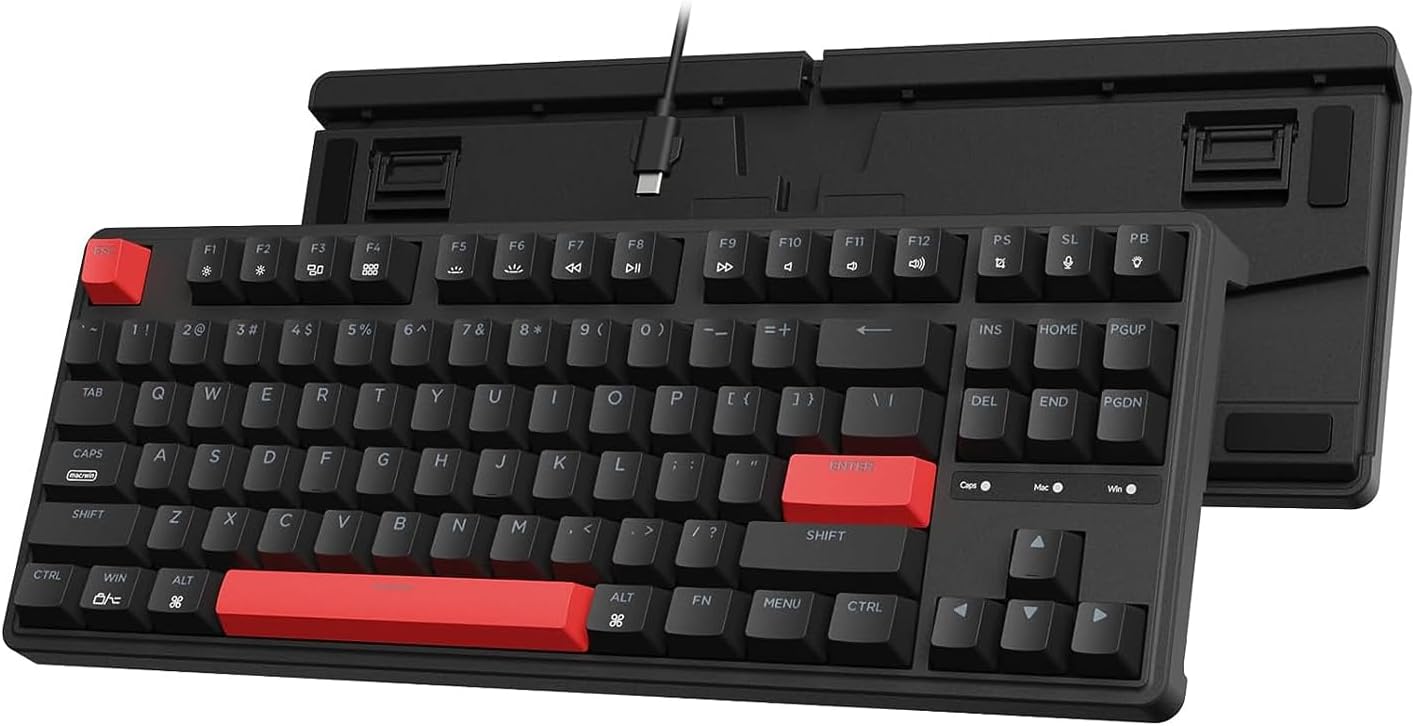
Keychron C3 Pro, selected Brown Switch version, as one mechanical-keyboard example. The original image combines front and underside views of one model, not two included keyboards. It is not a FindsRadar typing test, a full mechanical-versus-membrane comparison or an India offer.
Image: Source product image via Amazon.com / Amazon US image source — Keychron C3 Pro. Original source product imagery, unmodified and full frame. Owner-attested permission to reuse Amazon product images; not FindsRadar photography, testing or verification of a current offer.