

USB-C Charging vs Data Cables: Read More Than the Wattage
A USB-C plug does not tell you the whole story. Learn how to verify charging wattage, data throughput, and display output before choosing your next cable in India.

Maintained by FindsRadar Editorial Team
Connector Standard
Physical Shape Only
USB-C describes plug geometry, not internal wiring
Data Speed Trap
480 Mbps (USB 2.0)
Most 100W/240W charging cords use ancient USB 2.0
Full Speed Target
10 Gbps – 40 Gbps
Required bandwidth for SSD transfers & 4K 60Hz video
E-Marker Requirement
>60W (3A)
Electronic marker chip required above 3 Amperes
USB-C Describes the Connection, Not Every Capability
Two cables can share identical oval USB-C connectors yet perform entirely different jobs. One may charge your smartphone rapidly beside your bed but take 25 minutes to transfer a vacation video folder to your laptop. Another cable bought for a monitor dock may flicker or fail to transmit video altogether.
The USB Implementers Forum (USB-IF) explicitly separates connector geometry from functional protocols. An oval USB-C plug only guarantees physical mechanical fit; everything beyond fit—voltage, amperage, data transfer protocols, and DisplayPort Alt Mode—depends on internal wire count and chipsets.
Charging Power and Data Rate Are Separate Specifications
Most low-cost, thick-braided "100W Fast Charging" cords sold online only connect four physical wires internally (VBUS, GND, D+, and D-). That means they are electrically wired for USB 2.0 data—the exact same 480 Mbps transfer standard introduced in the year 2000.
If you frequently transfer 4K camera footage, backup external SSDs, or edit video files directly from external storage, you require high-speed differential data pairs supporting USB 3.2 Gen 2 (10 Gbps) or USB4 / Thunderbolt 4 (40 Gbps).
| Cable Category | Power Delivery | Data Throughput | Display Output (Alt Mode) | Primary Use Case |
|---|---|---|---|---|
| Everyday Charging Cord | 60W to 240W | 480 Mbps (USB 2.0) | No video support | Bedside charging, power bank to phone |
| USB 3.2 Gen 2 Cable | 100W PD | 10 Gbps (1,250 MB/s) | Yes (4K @ 60Hz) | High-speed external SSDs, camera dumps |
| Thunderbolt 4 / USB4 Cable | 100W to 240W | 40 Gbps (5,000 MB/s) | Yes (Dual 4K / 8K) | Laptop docking stations, eGPUs, studio monitors |
USB-C Cable Tiers and Supported Capabilities
Why a Charger Label Cannot Settle the Whole Question
Connecting a 100W cable to a 65W charger does not mean your smartphone receives 100W. Charging speeds are determined by the lowest common denominator in the electrical chain: the charger capability, the device power negotiation curve, and the cable E-Marker rating.
Cables carrying more than 3 Amperes (60W+) must contain an E-Marker microchip inside the connector housing that communicates safe voltage and current limits to the power supply. Cheap counterfeit cords without E-Markers force chargers to downgrade to 60W or lower.
Final Assessment & Recommendation
Never judge a cable by its braided exterior or wattage badge alone. A 240W braided cord can take 25 minutes to transfer a 50GB video file if it is wired for USB 2.0, while a 10Gbps USB 3.2 cable finishes the same transfer in under 50 seconds.
What We Liked
- Prevents costly mismatch between fast external SSDs and charging cables
- Clarifies why laptop monitor docks flicker with basic charging leads
- Labels cables by role to eliminate desk drawer clutter
Things to Consider
- High-speed 40Gbps cables are thicker and have shorter passive length limits
Frequently Asked Questions
Editorial answers to common questions. Check the cited sources, applicable region and publication date before relying on product or policy details.
Products Referenced in This Story

Portronics SnapCase 2 Retractable Cable & Adapter Case — Black

INICIO Magnetic M.2 2230 NVMe SSD Enclosure & MagSafe Hub with 100W PD & 4K HDMI
Sources & image credits
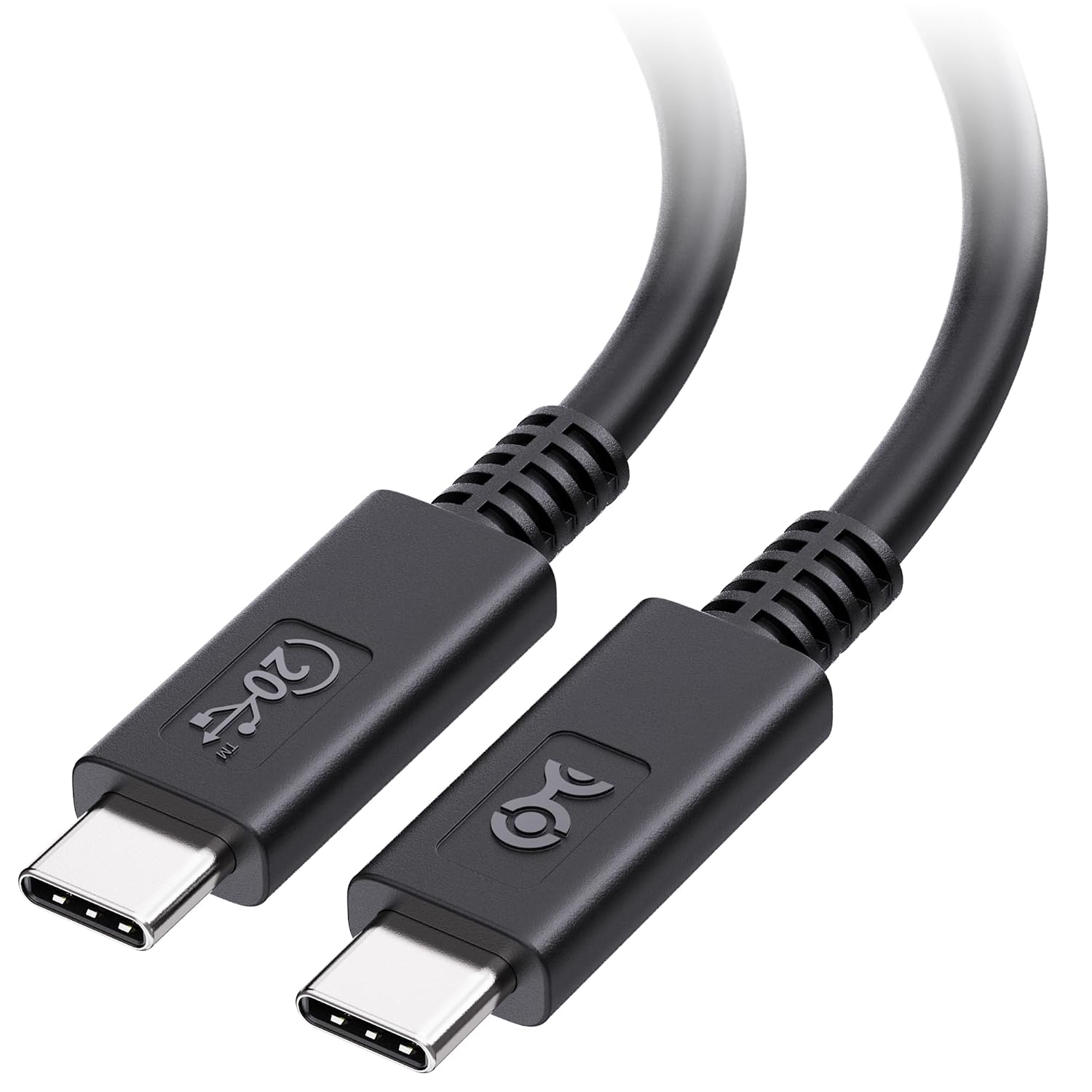
Cable Matters 201303-BLK-1.8m USB4 cable, selected Black 6-foot version, shown as one cable-category example. Source image—not a FindsRadar charging/data-rate test or a claim about every USB-C cable. One cable, not a bundle; connector markings are not independent capability or certification evidence.
Image: Source product image via Amazon.com / Cable Matters 201303-BLK-1.8m — Amazon.com image source. Original source image, unmodified and full frame. Owner-attested Amazon-image reuse permission; not FindsRadar photography, hands-on testing or verification of a current offer.
Related Stories & Reviews
India’s USB-C Standard: What the BIS Publication Does—and Does Not—Establish
USB-C connector example · Not evidence of BIS certification or a legal mandate.
3 min read
Why Cheap Charger Cables Kill Your Smartphone Battery: Testing 60W PD, GaN & Multi-Cables
Intact cable examples · Not damage or battery-failure evidence.
9 min read