

How to Choose a Monitor Arm: Weight Without Stand, VESA Patterns, and Desk Clearance
Avoid sagging gas springs and cracked desktop edges. The practical measurement guide for clamp depth, grommet mounts, and minimum-to-maximum load ranges.

Maintained by FindsRadar Editorial Team
Weight Metric
Without Stand
Measure net panel weight; OEM desktop stands add 2kg to 4kg of dead weight
Standard VESA
75x75 & 100x100
Universal square mounting hole pattern on modern computer displays
Minimum Weight Floor
2.0 kg
Ultra-light monitors will spring upwards if below minimum gas arm tension
Desk Clearance
50mm – 80mm
Required flat overhang beneath desktop edge for secure C-clamp grip
The Three Fatal Mistakes People Make When Buying Monitor Arms
Upgrading from a clunky stock monitor stand to an articulated gas-spring monitor arm instantly reclaims 25% of your desk surface, eliminates neck strain, and allows smooth screen rotation.
However, monitor arms have the highest return rates in desk accessories due to three simple measurement oversights: gross vs. net weight confusion, desk edge under-clearance, and honeycomb desktop crushing.
By taking three measurements before clicking Buy, you guarantee rock-solid stability and zero wobble.
Pre-Purchase Measurement Checklist
| Measurement Check | How to Measure | Safe Tolerance / Benchmark |
|---|---|---|
| Net Display Weight | Search model spec sheet for 'Weight (Without Stand)' | Must fall between arm MIN (e.g. 2kg) and MAX (e.g. 9kg) |
| VESA Hole Pattern | Measure distance between screw holes on back of panel | 75mm x 75mm or 100mm x 100mm square |
| Desk Edge Thickness | Measure tabletop thickness with a ruler or caliper | Standard C-clamp handles 10mm to 80mm thickness |
| Under-Desk Overhang | Measure flat unobstructed lip behind modesty panels | Minimum 50mm to 70mm clearance required for clamp base |
| Desk Material Core | Check if desk is solid wood, plywood, or hollow MDF | Hollow honeycomb desks (like IKEA Linnmon) require reinforcement plates |
Tuning the Gas Spring: Why New Arms Feel Stiff or Droop
When users install their first monitor arm, they often panic because the monitor either sags immediately to the desk or springs violently upwards toward the ceiling.
This is not a defect—it is an untuned gas spring counterbalance. Every gas-spring arm features a tension hex bolt on the forearm joint.
If the monitor sinks down, turn the hex bolt toward the '+' symbol (counter-clockwise) to increase counter-pressure. If it springs up, turn toward '-' (clockwise) until the monitor floats effortlessly in mid-air.
Final Assessment & Recommendation
A quality monitor arm is the single best ergonomic upgrade for your desk. Always check your display's weight without its stand against the arm's minimum and maximum capacity, and ensure your desk has at least 50mm of clamp clearance.
What We Liked
- Reclaims 1.5 to 2.5 square feet of valuable desk space beneath the screen
- Full tilt, swivel, and 360-degree vertical orientation adjustment
- Integrated cable management channels hide ugly dangling cords
Things to Consider
- Hollow paper-filled desktops require a metal reinforcement spreader plate
- Not compatible with glass desktop surfaces
Frequently Asked Questions
Editorial answers to common questions. Check the cited sources, applicable region and publication date before relying on product or policy details.
Products Referenced in This Story

Adjustable Monitor Arms Single Spring Desk Mount
Sources & image credits
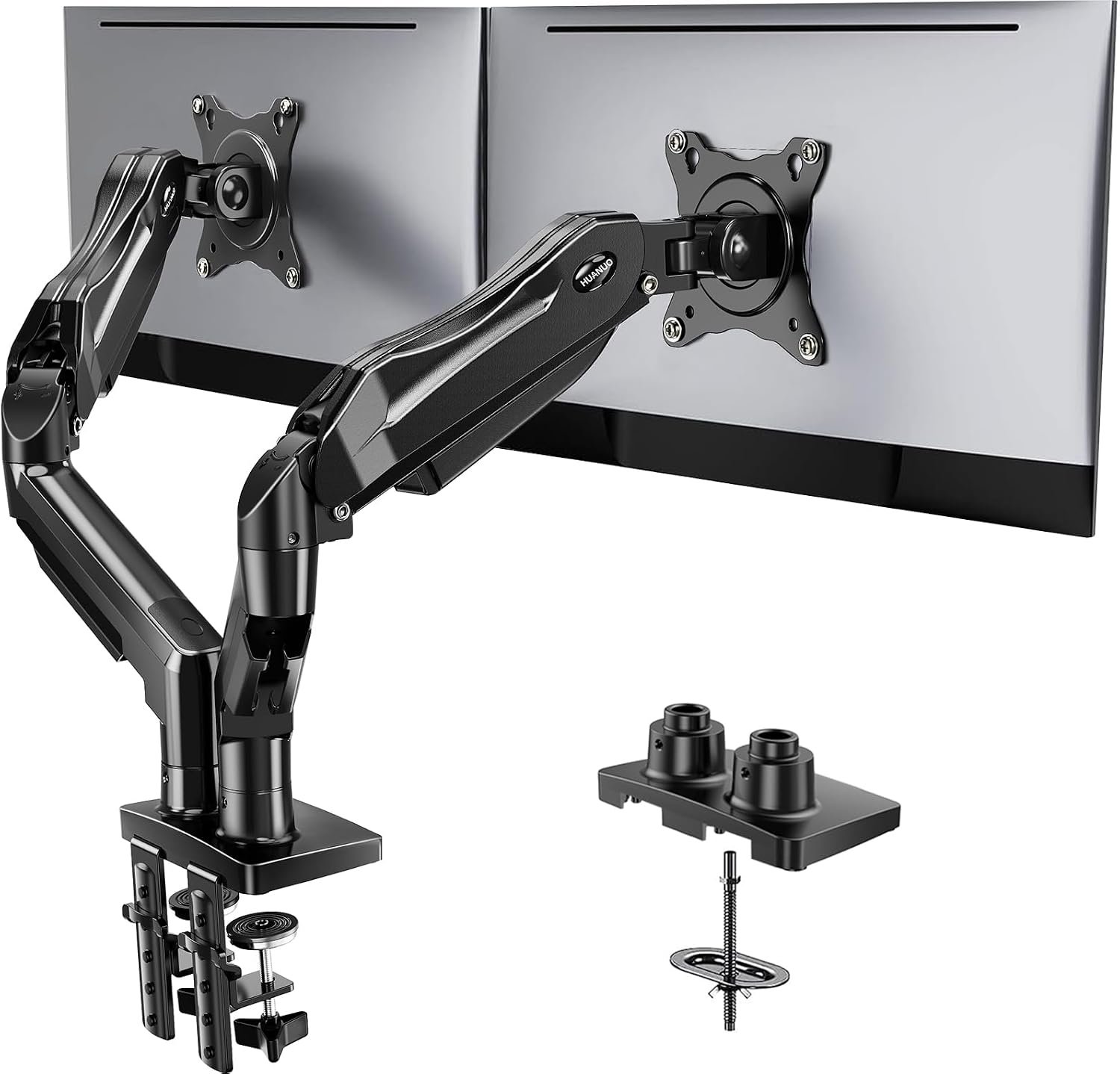
HUANUO HNDS6 dual-monitor arm, selected Black version, shown in its source product image. Monitors are demonstration props, not included monitors; the fitting inset is not an extra complete arm set. This is not the earlier catalog unit or a FindsRadar load/desk-fit test.
Image: Source product image via Amazon.com / HUANUO FlowLift HNDS6 — Amazon.com image source. Unmodified original source imagery, full frame. Owner-attested Amazon-image reuse permission; not FindsRadar photography, testing or current-offer verification.
Related Stories & Reviews
Planning a Small WFH Desk: Check Fit, Lighting and Current Prices
Baseus source example · Monitor/peripherals are props; no lighting or health test.
10 min read
Your 144Hz Monitor Is Running at 60Hz: A Windows 11 Diagnostic Checklist
LG lists this model as discontinued. It illustrates the monitor category, not a current purchase recommendation or a Windows settings screenshot.
6 min read