

Logi Bolt or Unifying? Check the receiver before replacing your mouse
Identify the wireless system, edition and included accessories before buying a replacement receiver or a new keyboard and mouse.

Maintained by FindsRadar Editorial Team
Before you buy
One small receiver can free a USB port, but the Logitech name alone does not make two wireless devices compatible. Start with the logo on the device and the exact edition on the box, particularly if you are replacing a lost receiver or combining a keyboard and mouse.
This is a documentation-based buying checklist, not a connection-speed test or a hands-on review. It uses Wave Keys and MX Master 3S as familiar examples without assuming every regional package contains the same accessories.
Identify the wireless system first
Turn over the mouse or keyboard and look for the receiver-system mark. Logitech distinguishes Logi Bolt, Unifying and other 2.4GHz receivers. Its Bolt documentation says Bolt products cannot pair with other Logitech USB receiver systems, or vice versa. A connector fitting your laptop tells you nothing about whether the mouse can pair with it.
Before shopping, note the full device name, any edition suffix and the logo underneath. If the listing only says “Logitech receiver,” stop and confirm the protocol. A cheap spare is poor value when it cannot communicate with the device you already own.
Sharing one receiver is different from switching computers
Logitech says a single Bolt receiver can pair with up to six compatible keyboards and mice on one computer. That can reduce receiver clutter, but it does not turn a Unifying keyboard into a Bolt keyboard. The same manufacturer guidance points to Logi Options+ for pairing additional devices. On a managed work computer, check whether installing or using that software is allowed before making a purchase depend on it.
Think about the job you need done. A keyboard and mouse sharing a work laptop's receiver is one arrangement. Moving the same devices between a laptop and tablet is another. Write down both computers and the connection you intend to use for each, rather than buying a second dongle automatically.
Wave Keys: check the layout as well as the connection
Logitech's standard Wave Keys page lists Bluetooth and an included Logi Bolt receiver, with Easy-Switch controls for changing devices. That makes it a useful example of a keyboard with more than one connection route. It does not establish the contents of a differently named Mac edition, regional package or retailer bundle.
For a keyboard purchase, photograph your current layout and compare the listing's actual key arrangement. Check language, Enter-key shape and operating-system legends, then confirm receiver contents. Solving a connection problem should not create a layout problem you notice every time you type.
MX Master 3S: the edition name matters
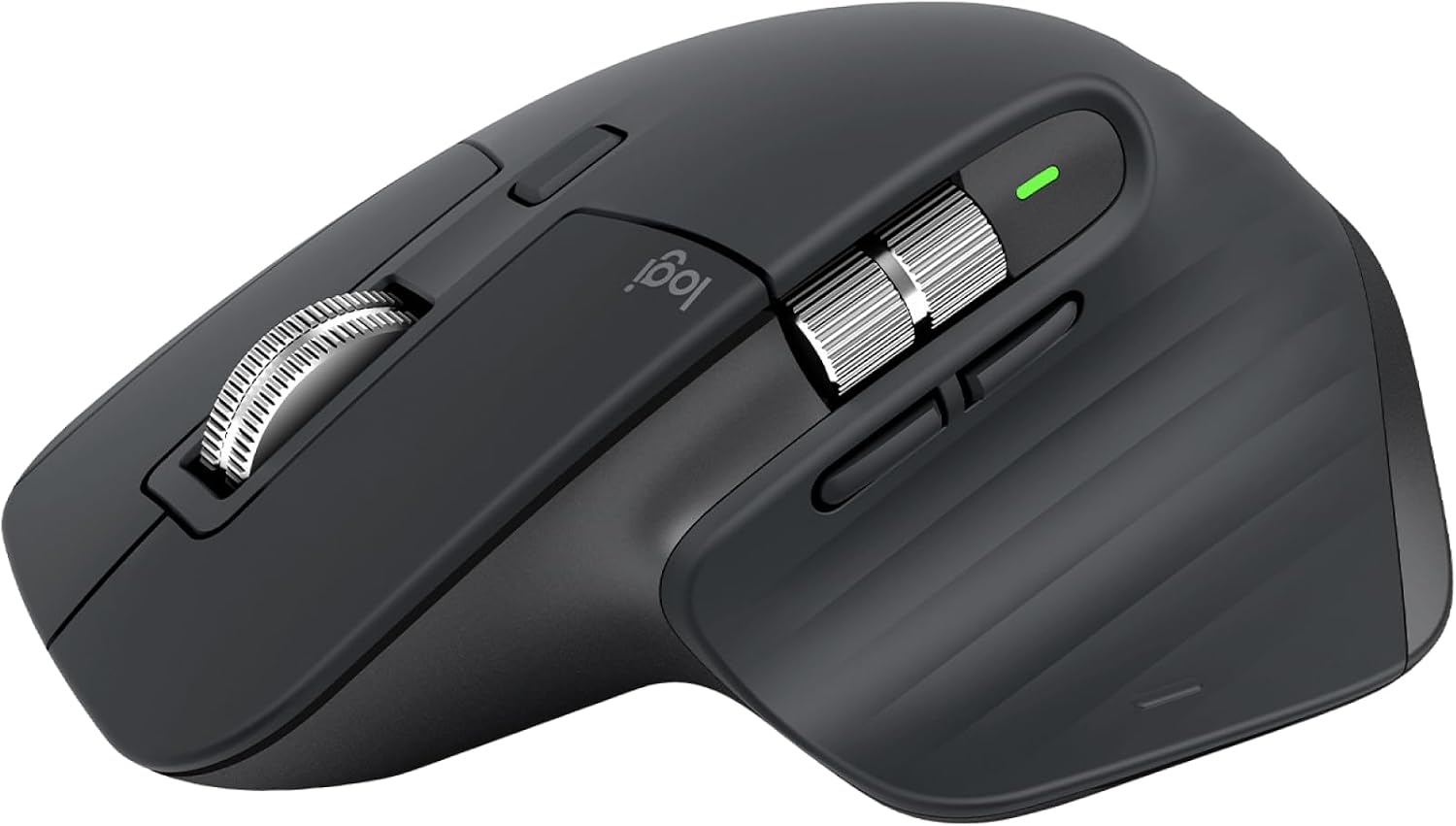
The current US Logitech product page identifies an MX Master 3S Bluetooth Edition. That is a reason to read the exact package details, not to assume a receiver is included because an older review showed one. Separately, Logitech's MX Master 3S for Business specifications list Bolt and Bluetooth connections. Keep those named editions distinct when comparing listings.
If your current mouse works well over Bluetooth, a receiver purchase needs a specific purpose. If you need a replacement for a lost dongle, verify the device's Bolt mark rather than replacing the whole mouse. If you need a new mouse for another reason, make receiver compatibility one check alongside hand preference, controls and desk fit.
USB-A or USB-C comes after protocol
Logitech now offers Bolt receivers with USB-A and USB-C connectors. Choose the connection that fits the computer or dock you actually use. Do not confuse changing the physical plug with changing the wireless system.
Before checkout, confirm five things: the full model and edition, the receiver system, whether a receiver is included, the USB connector you need, and the seller's regional warranty and return terms. Skip a new receiver when the existing connection already meets your needs. For a replacement, buy the verified compatible part rather than the most familiar-looking one.
Explore the matching FindsRadar models
Use the MX Master 3S and Wave Keys model notes to check the exact edition and receiver system. An earlier India Wave Keys listing could not be refreshed during the November 7 review. The reviewed US MX Master 3S listing contained conflicting receiver information. Neither observation establishes a current package or offer.
FindsRadar may earn a commission from qualifying purchases through affiliate links. Our manufacturer and support links are evidence sources, separate from shopping links.
Explore the exact models
Use these model notes to check compatibility before deciding whether you need new equipment.
Replacing a lost receiver? Check the compatible receiver first. You may not need a new keyboard or mouse.
- Logitech MX Master 3S edition information: model and compatibility notes
- Logitech Wave Keys: model and compatibility notes
These pages link to manufacturer information. They do not verify a current regional shopping offer.
Sources & image credits
MX Master 3S in Graphite, shown as a model example. This image does not show a receiver or establish which accessories a package includes.
Image: Logitech / Logitech MX Master 3S listing product image. Product image used for model identification. The image does not verify a retailer offer, selected package or included accessories.