

Echo Time or Alexa Photo Frame? Choose the job before the screen
A practical guide to setup, optional sensing, family-photo permissions and subscription questions—based on Amazon’s documentation, not hands-on testing.

By FindsRadar Editorial Team
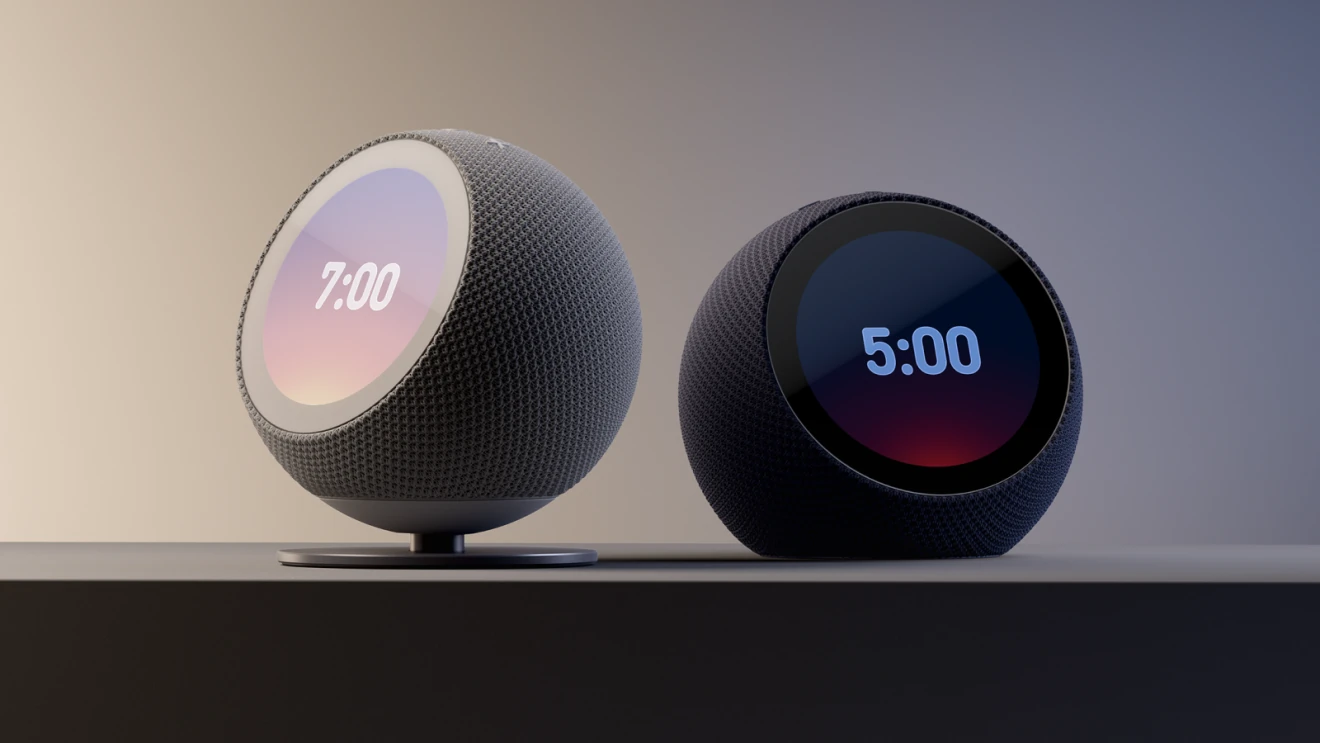
Two screens, different jobs
A screen beside your bed and a screen full of family photos solve different problems. Amazon's Echo Time is a bedside clock; Alexa Photo Frame is a shared photo display. The useful comparison is not which has more features. It is which job you want done, and what you are comfortable enabling to do it.
Start with the setup, not just the screen
Both devices need an Amazon account and Wi-Fi. Echo Time setup uses the Alexa app; Photo Frame setup uses Amazon Photos, with the Alexa app available for additional settings. Think about who will handle that setup and maintain the account before choosing either as a gift.
If the job is waking up, check the microphone tradeoff
Echo Time has no camera. Its sleep sensing and smart alarms are disabled when Microphone off is on, according to Amazon's setup guide. That is a practical choice to understand before putting it on a nightstand—not an obscure setting to discover afterward.
Amazon says its ultrasound system estimates breathing movements and approximate sleep stages. Those are manufacturer claims, not our measurements. Amazon also states that sleep sensing is not intended to diagnose, treat or prevent a health condition. Treat it as an optional consumer feature, not a medical assessment.
If the job is family pictures, do not expect a dashboard
Alexa Photo Frame's screen displays still photos—not weather, timer or alarm information, or currently playing music details. Video and motion photos are not supported either. This describes what the screen shows. It does not establish whether audio-only timers or alarms are supported.
For exact control over which pictures appear, Amazon's instructions say to add individual photos rather than a collection marked Highlights. Highlights uses image recognition to curate pictures; availability varies by customer and location.
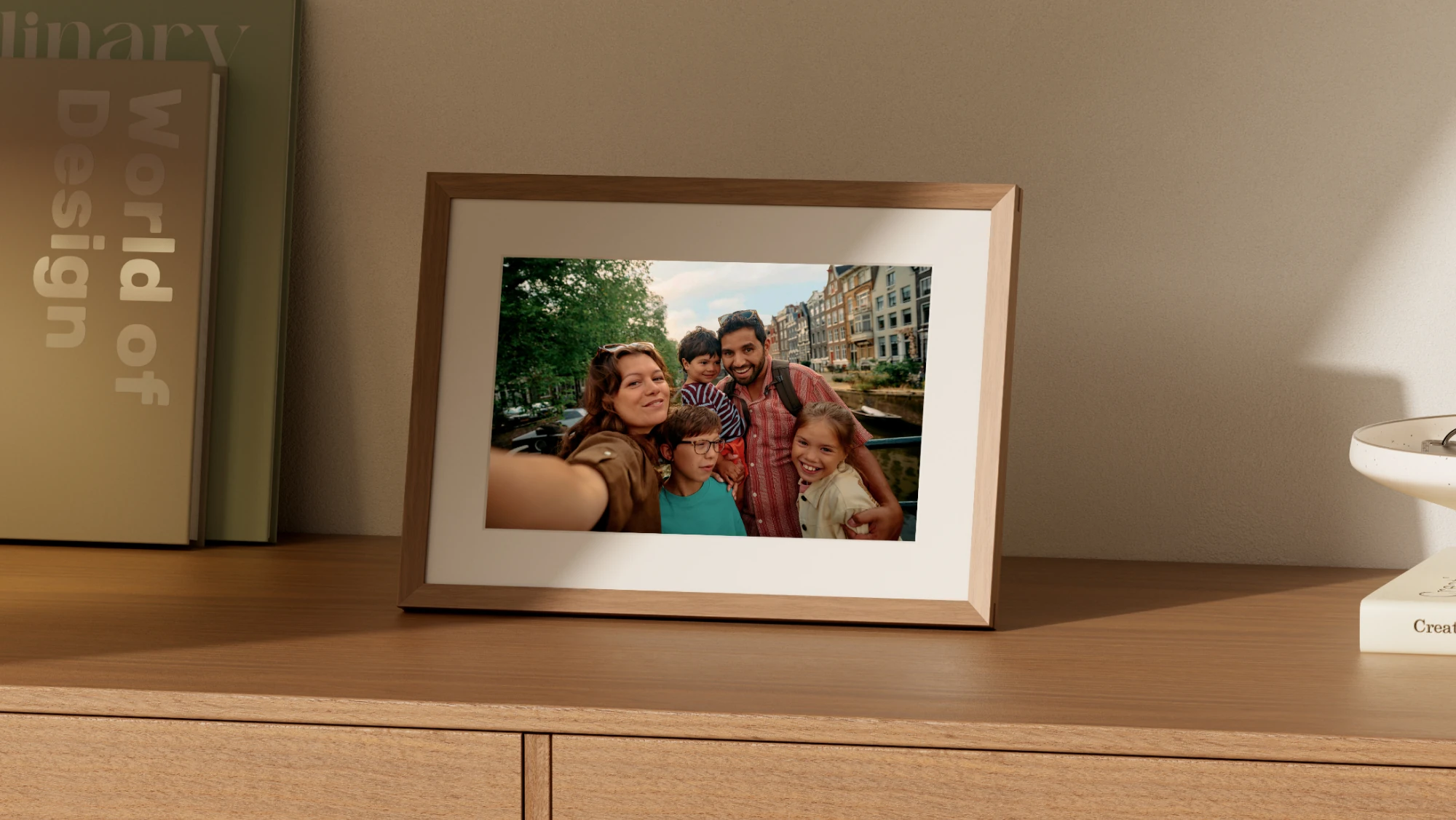
Alexa Photo Frame in Amazon’s promotional photograph. The exact retail finish is not verified.
Image: Amazon / Alexa Photo Frame announcement. Amazon promotional image. Full scene retained with technical WebP compression only; not a FindsRadar hands-on photograph or a verified retail bundle.
The most important gift-setting question: who gets access?
Frame collaborators can see the pictures and activity feed, and manage other collaborators—including removing the person who invited them. This is broader than simply letting someone upload a holiday snapshot. Invite only people you trust with those powers.
Voice notes are shared too: everyone on the frame can hear them, and collaborators can attach notes to someone else's photo. Decide whether a message belongs on a shared household display before recording it.
Separate the hardware from the service
Amazon says some features require Alexa+, and the Photo Frame includes 90 days of Alexa+. The reviewed announcements do not provide a complete feature-by-feature account of what remains available afterward. Do not assume every function is free—or that every function needs a subscription.
Photo storage is a separate consideration. Amazon Photos documents 5 GB for all customers and larger photo-storage benefits for Prime and standalone Alexa+ subscribers in selected countries. Confirm the benefits applicable to your account rather than equating a device purchase with unlimited storage everywhere.
If you only need an alarm or a fixed photograph, first consider whether your existing clock or frame already does the job.
Before choosing, ask: Do I need a clock or a shared album? Will I enable sensing? Who will curate the photos and manage access? Which wanted features are included with my account?
This is a comparison of documented purposes and controls, not a current-offer recommendation. US listing identities for Echo Time in Graphite and Alexa Photo Frame in Walnut were checked on 3 November 2026; the shopping cards distinguish those listings from model searches. We have not verified current stock, India availability or India service support.
Sources & image credits
Echo Time in Amazon’s day/night promotional image. Two product views are shown, not a two-device bundle; the stand at left is sold separately.
Image: Amazon / Echo Time announcement. Amazon promotional image showing two views of Echo Time, not a two-device package. The stand shown at left is sold separately. Full image retained with technical WebP compression only; not FindsRadar testing.
- Echo Time announcementChecked
- Photo Frame announcementChecked
- Echo Time setupChecked
- Photo Frame setupChecked
- Amazon's device FAQChecked
- Amazon's display settings guideChecked
- Amazon's curation guideChecked
- Amazon's collaboration guideChecked
- Amazon's voice-note guideChecked
- Amazon Photos featuresChecked