

Buying DJI Mic Mini for a phone? Match the receiver and recording app first
Choose the exact phone kit, check the recording app, and test the microphone input before an important take.

Maintained by FindsRadar Editorial Team
Before you buy
A wireless microphone kit can move the microphone closer to the person speaking while leaving the phone where you want the shot. Before buying DJI Mic Mini, decide how many people you will record, which phone and app you use, and whether the same kit also needs to work with a camera. Those choices matter more than a headline range figure.
This guide covers the original DJI Mic Mini, including the 2 TX + 1 Mobile RX package. It is based on DJI documentation, not our own sound-quality or battery testing. Mic Mini 2 and other similarly named products are separate buying choices.
Read the kit name as a packing list
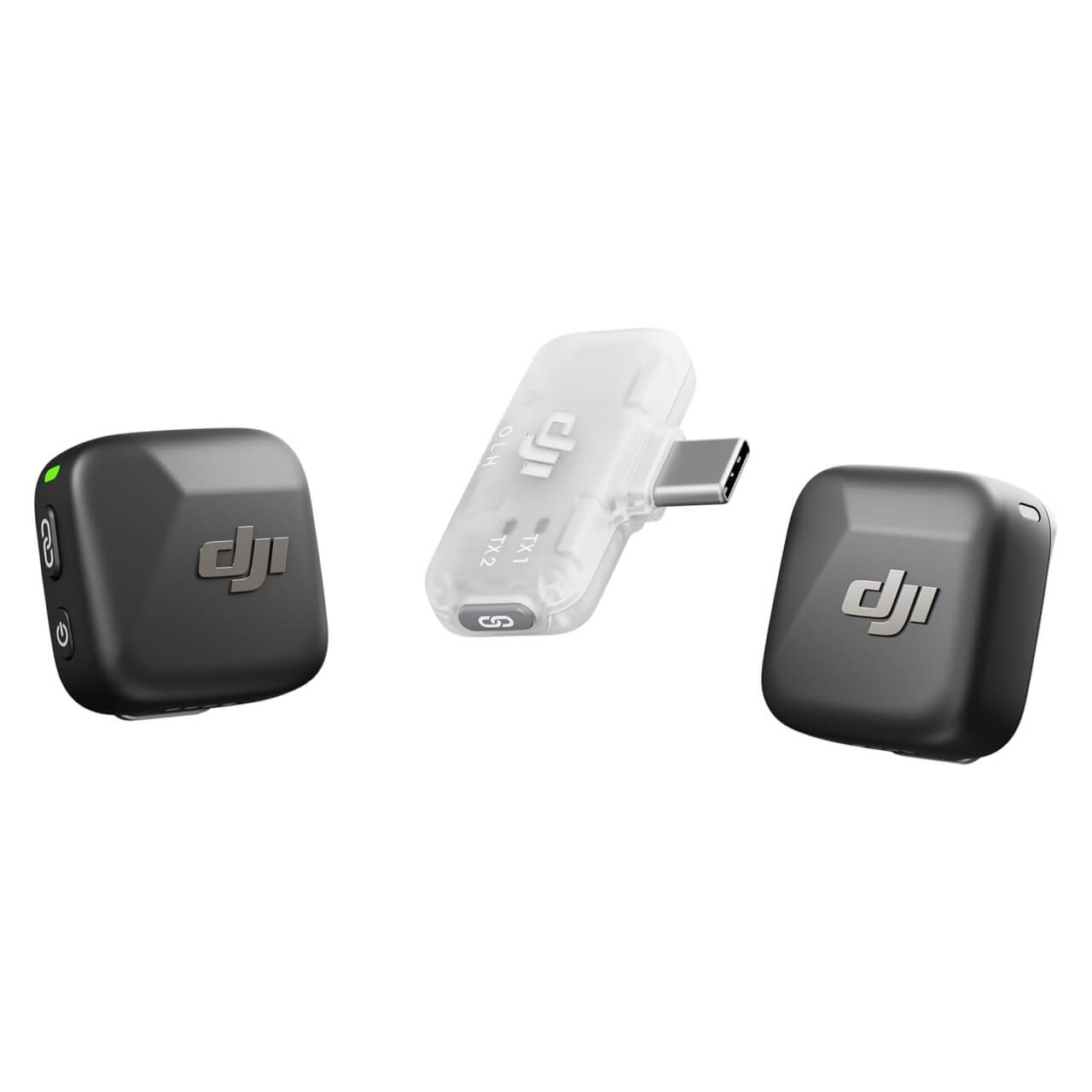
TX means transmitter: the clip-on microphone unit. RX means receiver: the unit that delivers audio to the recording device. DJI's exact mobile-kit page lists two Mic Mini transmitters and a USB-C mobile receiver. Compare that with the separate receiver-and-charging-case package before comparing prices. The word “Mini” alone does not identify the box contents.
For a solo desk recording, ask whether you need two microphones. For interviews, check how your chosen app records both speakers and how you plan to edit the result. If a camera connection is essential, do not assume a phone-focused kit includes a camera receiver, camera audio cable or charging case. Put the required accessories beside the listing's included-items section before ordering.
Bluetooth pairing does not prove the camera app is recording it
The phone may show a successful Bluetooth connection while the recording app still uses a different audio source. DJI's current support guidance makes compatibility specific to the phone and app: iOS's system camera does not accept Bluetooth audio input, while some Android camera apps can select an external input. Check the exact phone and intended recording app against DJI's compatibility list rather than assuming either that all native camera apps work or that none do.
A USB-C receiver gives you another connection route, but it is still worth checking the actual phone, case and app. If the only demonstrated workflow uses a different app, include that change in your buying decision. Buying hardware should not leave you discovering during an interview that your preferred app has no suitable microphone-input option.
Make a short recording before the important one
Set up the kit exactly as you intend to use it: same phone, case, app and connection. Record each speaker separately, then together. Listen back to the saved file, not just an on-screen meter. Keep this first test brief enough to repeat when you change a setting.
DJI's troubleshooting guidance recommends checking compatibility and the receiver connection, including whether the phone case prevents full insertion. It also describes using a short recording and muting the transmitter to distinguish its signal from the phone's built-in microphone. A pairing light alone is not that test.
Save a note of the working combination. That gives you a useful starting point if you later change phones or apps, without turning one successful test into a promise about every device.
Do you need a recorder as well as a wireless microphone?
DJI states that the original Mic Mini transmitter has no internal storage and cannot operate as a standalone voice recorder. If your plan depends on recovering a separate recording from the microphone itself, this is a requirement to resolve before purchase. Do not assume that features described for Mic 2, Mic 3 or newer Mini models apply to the original Mini.
Write down your fallback for an interrupted take. For a casual clip, repeating it may be fine. For an unrepeatable interview, decide how you will confirm the recording is being captured and whether a different recording workflow better fits the job. This is a workflow decision, not a claim that a more expensive kit is automatically necessary.
Choose the next step for your region
The FindsRadar Mic Mini page identifies the original two-transmitter mobile kit. A retrieved Amazon.com listing identifies that package, but its cached page is not a current stock check. No current delivered offer or India equivalent is verified. Confirm the exact kit and seller terms before buying.
We have not verified an equivalent India listing for this article. Do not reuse the US product code on Amazon.in or assume an import has the same support arrangements. If you already own a microphone that works with your intended app, test that workflow before buying another kit.
FindsRadar earns from qualifying purchases through Amazon affiliate links. The DJI documentation links are separate evidence sources and do not establish a retailer's current offer.
Explore the exact models
Use these model notes to check compatibility before deciding whether you need new equipment.
These pages link to manufacturer information. They do not verify a current regional shopping offer.
Sources & image credits
DJI product image of the original Mic Mini mobile kit. It does not depict the camera-receiver and charging-case bundle.
Image: DJI / DJI Mic Mini 2 TX + 1 Mobile RX product gallery. Product image used for model identification. The image does not verify a retailer offer, selected package or included accessories.
- DJI: Mic Mini mobile kitChecked
- DJI: verify the microphone recording inputChecked
- DJI: mobile-phone compatibilityChecked
- DJI Mic Mini FAQChecked