

Manufacturer-source review · not a hands-on test
Edifier P230 USB-C: Android EQ, controls and buying notes
Documentation checked · FindsRadar Editorial Team
The most useful question about the P230 is not whether its specification sheet looks impressive. It is whether the features you want work with the device you actually use. In particular, the P230's app-based EQ is documented for Android only. Do not treat the availability of an iPhone app as proof of feature support for these earphones.
These are independent buying notes based on Edifier's documentation. FindsRadar has not measured sound, microphone quality, latency or durability, and does not assign a listening-test score.
Read compatibility and buying checks ↓What Edifier documents
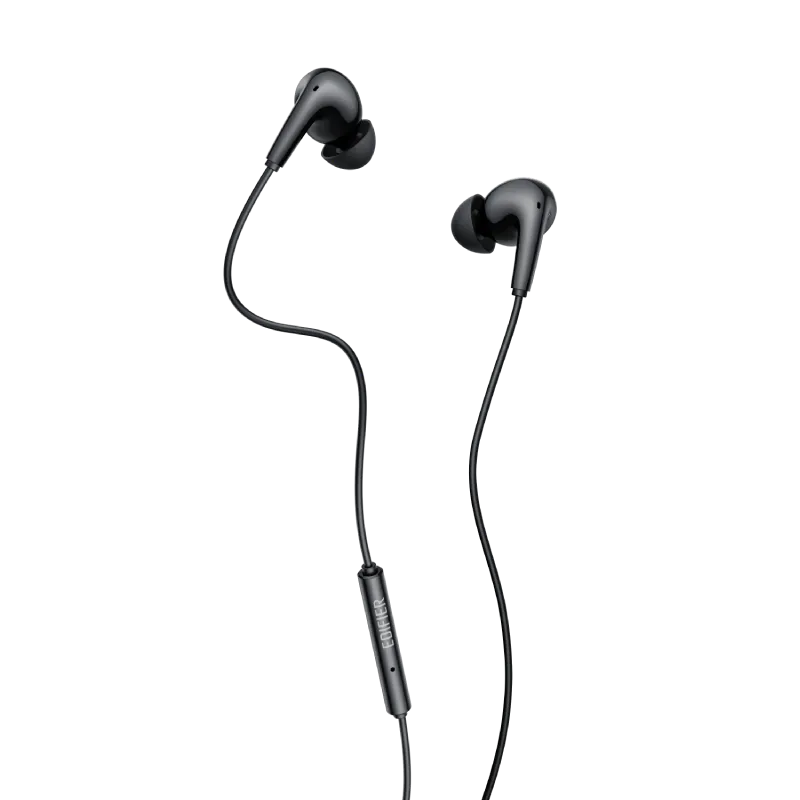
Edifier specifies a USB-C connection with a DAC in the plug, a 12.4mm dynamic driver, support up to 24-bit/96kHz, an inline microphone and remote, three ear-tip sizes, and an IP54 rating for dust and splashes. Those are manufacturer specifications, not our measurements.
The practical distinction is between a supported format and a listening verdict. A format number does not tell you whether you will like the tuning, whether the tips will fit your ears, or how your voice will sound during calls. If one of those is your main buying reason, look for an actual demonstration or test rather than treating this specification summary as one.
Android EQ: what the manual actually says
The manual identifies this product as model EDF200216. It lists EDIFIER, Bass Boost, Vocal and Treble Boost presets, plus a custom setting, and identifies Bass Boost as the default. The EQ feature is Android-only.
For an Android purchase, check the app's requirements for your phone before ordering. For an iPhone, tablet or computer, separate basic USB-C audio compatibility from app customization: this research does not establish P230 EQ support on those platforms. Edifier's general support page offers ConneX downloads for Android and iOS, but that general download text does not override the model-specific limitation.
Which remote controls are documented?
The manual describes one press for play/pause or answering/ending a call, two for the next track, three for the previous track, and a hold for the voice assistant. Separate plus/minus buttons control volume. Edifier also warns that behavior can vary by source device and system.
If you need a particular control for work or accessibility, verify that function with your exact phone or computer before relying on it. A USB-C connector alone is not enough evidence that every control will behave identically.
A sensible buy-or-skip decision
Consider the P230 when you want wired USB-C earphones and can verify your device, fit requirements and seller terms. Choose something else if your must-have feature is one this page cannot establish, such as P230 app EQ on iOS or a measured improvement in noisy-call performance.
Before paying, match the selected product to P230 USB-C, check the seller and local warranty, and read the item-specific return policy. Do not assume a similar-looking 3.5mm model or another Edifier product is interchangeable.
Search by model, then verify the listing
These links open model searches, not verified offers. Exact-model availability, price, seller, delivery and local warranty have not been confirmed. Match the model number and its own instructions before buying.
As an Amazon Associate, FindsRadar earns from qualifying purchases.
Your selected market: India. Both marketplaces are labeled below; no offer is guaranteed.
Check current price on Amazon. If results show another model, compare its own documentation rather than assuming equivalence.
Quick answers
Does the P230 support app EQ on iPhone?
Edifier documents this model's EQ feature for Android only. The general iOS ConneX download does not establish P230 EQ support on iPhone.
Have these earphones been tested by FindsRadar?
No. These buying notes summarize manufacturer documentation, not our listening, call-quality, latency or durability tests.
More from the FindsRadar catalog
Independent FindsRadar picks, not an endorsement of these buying notes by a creator.
Explore the Sillycorns collection