

Mechanical Keyboards & Macropads: Layout and Compatibility Guide
Compare layouts, connection options and switch compatibility before choosing a keyboard or macropad.
Updated 2026-11-16
This guide explains considerations for compact mechanical keyboards, programmable controls and desk accessories. It is a researched overview, not a hands-on product test.
Current retailer prices and the total cost of a combined setup have not been verified. Check the exact model, switch variant, device compatibility and seller terms rather than treating these entries as a guaranteed budget bundle.
Quick At-A-Glance Winners
Short on time? Start with these three editorial picks; check the product-specific evidence and current listing:
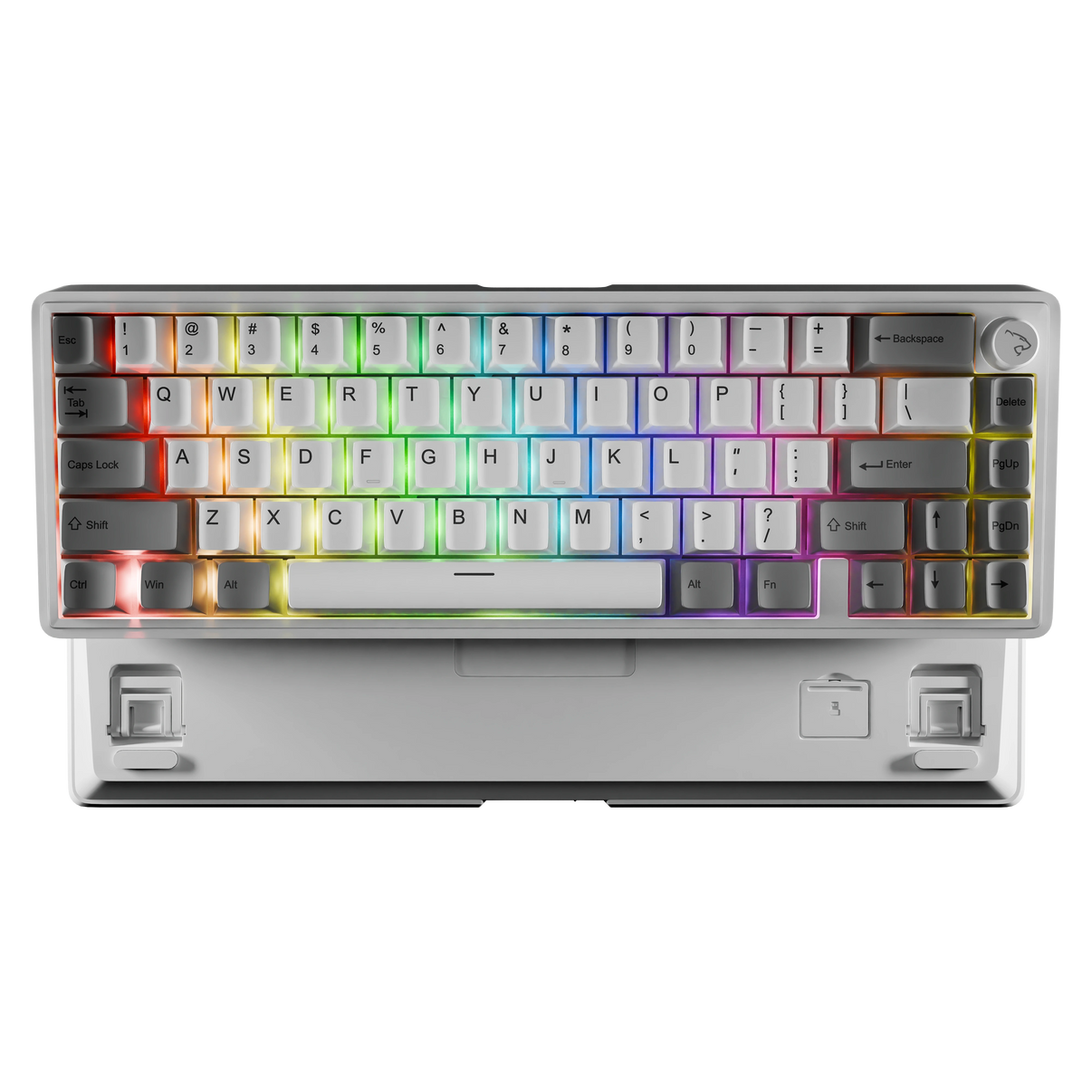
Rogue 65% Wireless Mechanical Gaming Keyboard Gasket Mount
Tri-mode wireless connectivity with enthusiast-grade silicone gasket mounting and south-facing RGB.
Check Price on Amazon
EezBotFun Programmable 8-Key Macropad with 3.5" TFT Screen
Eight programmable keys and a 3.5-inch TFT screen in a dedicated desktop macropad.
Find on Amazon
Ant Esports MK700 V2 TKL Membrane Gaming Keyboard (Mercury White)
Tenkeyless 87-key layout with responsive tactile membrane keys and dynamic RGB backlighting.
Check Price on AmazonCatalog entries and evidence status
Catalog references are not proof of hands-on testing. Check each item’s evidence status, fit and current retailer listing.
Manufacturer illustration: white/grey Rogue65, front and underside of one keyboard. Check retailer variant.
Buy on AmazonView In-Depth Specs & VideoRogue 65% Wireless Mechanical Gaming Keyboard Gasket Mount
"Tri-mode wireless connectivity with enthusiast-grade silicone gasket mounting and south-facing RGB."
A compact option with gasket mounting and one sound-dampening foam layer, according to LethalBlack. We have not independently tested its typing sound or feel.
- Gasket-mounted design with one sound-dampening foam layer
- Hot-swappable PCB supports 3-pin switches; 5-pin compatibility is not established
- 2.4GHz wireless, Bluetooth and USB-C wired connection options
- South-facing RGB lighting (manufacturer specification)
- •Compact 65% footprint requires function-layer shortcuts for dedicated F1-F12 keys
EezBotFun Programmable 8-Key Macropad with 3.5" TFT Screen
"Eight programmable keys and a 3.5-inch TFT screen in a dedicated desktop macropad."
A dedicated shortcut pad with eight keys and a screen. The manufacturer manual describes USB HID support for Windows, macOS and Linux, with an app needed for configuration and some advanced actions. Confirm the selected listing matches that manual.
- Eight keys and a 3.5-inch TFT screen
- Manufacturer manual describes Kailh hot-swap sockets and a wheel for profile switching
- Configured basic shortcuts and media controls can work without a background app
- •Advanced actions require the companion app; check its support for your operating system
- •Confirm hardware and firmware match the manufacturer manual before ordering
Ant Esports MK700 V2 TKL Membrane Gaming Keyboard (Mercury White)
"Tenkeyless 87-key layout with responsive tactile membrane keys and dynamic RGB backlighting."
An 87-key wired USB membrane keyboard in Mercury White with RGB backlighting. Mechanical-feel keys are not mechanical switches.
- Compact 87-key TKL layout
- RGB backlighting
- Wired USB connection
- Mercury White colorway
- •Wired USB-A connection; membrane switches lack hot-swappable modular sockets

Logitech Wave Keys Wireless Ergonomic Keyboard with Cushioned Palm Rest
"Wave-shaped wireless keyboard with a cushioned palm rest."
Logitech describes a wave-shaped layout and a three-layer memory-foam palm rest. These design features are not a guarantee of pain relief or treatment for a medical condition.
- Three-layer memory-foam palm rest, according to Logitech
- Bluetooth or included Logi Bolt receiver connection
- •Try the layout and fit if possible; comfort varies
- •Check the exact model, operating-system support and return terms

Memory Foam Keyboard & Mouse Ergonomic Wrist Rest Pad Set
"Slow-rebound contoured memory foam protects wrists from hard tabletop edges during long typing sessions."
Essential ergonomic companion for mechanical keyboards with tall front bezels, maintaining neutral wrist posture without pressure hot-spots.
- Ergonomic concave curvature conforms naturally to human wrist biomechanics
- Silky breathable Lycra fabric resists sweat and friction irritation
- Non-skid textured rubber backing anchors firmly to glass and wooden surfaces
- Reinforced perimeter stitching prevents fraying and foam separation over time
- •Requires 2 hours to fully expand after opening vacuum-sealed packaging

Silicone Keyboard Cleaning Putty Gel for Keyboards & Vents
"Cleaning gel requires product-specific surface and keyboard compatibility checks."
This catalog entry is not a verified method for cleaning inside mechanical switches. Follow the keyboard maker’s cleaning instructions before using any gel on the device.
- Compare the exact product instructions with your keyboard maker’s cleaning guidance
- •Residue-free performance and material compatibility are not established here
- •Do not assume suitability for switch wells or camera lenses
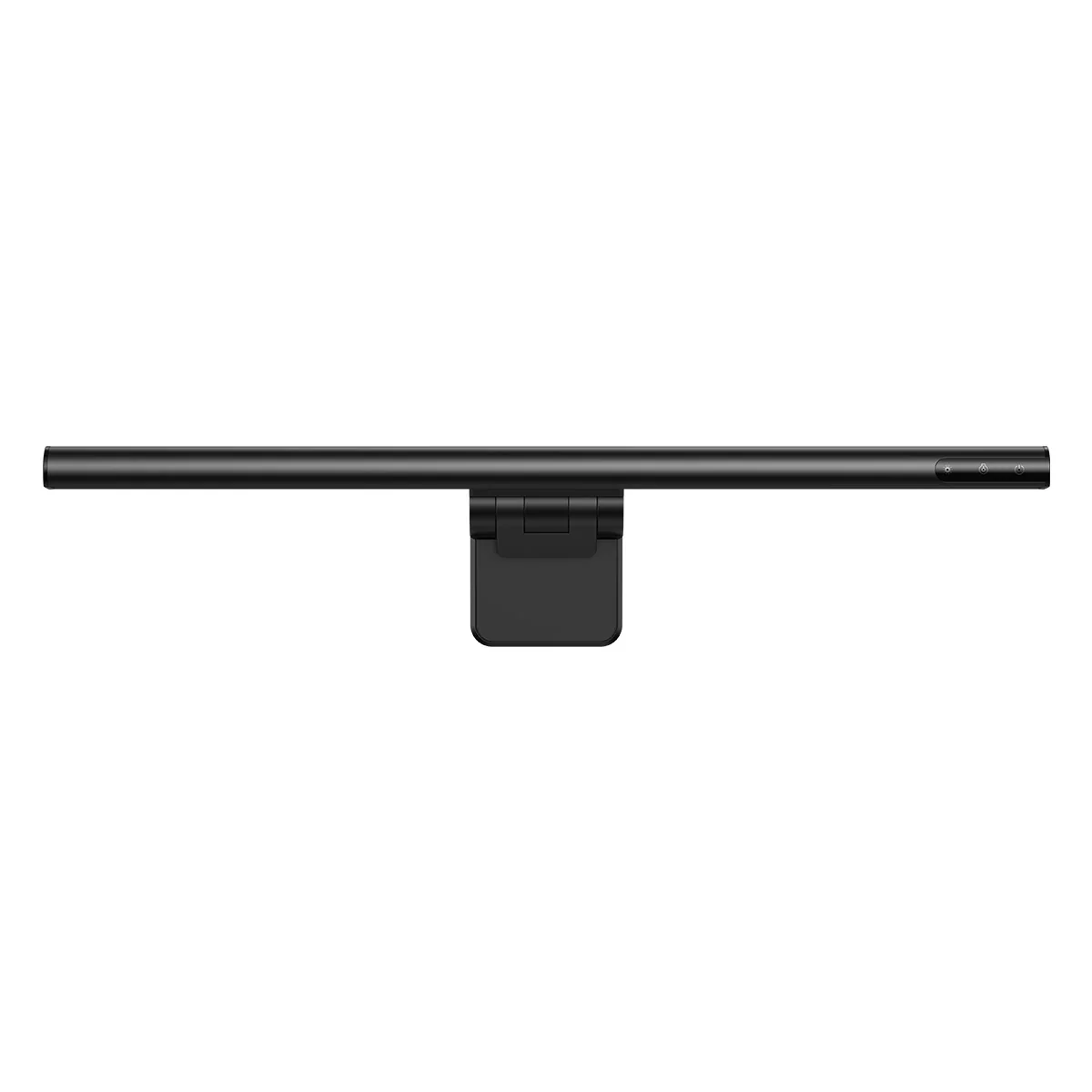
Baseus manufacturer illustration: i-Wok DGIWK-B01 in black. Monitor not included; verify the retailer model.
Specifications pending review; this entry is not a verified recommendation.
- Does the exact retailer model and included kit fit your intended use?
- Current price, stock and creator-video association are not verified.
Baseus i-Wok DGIWK-B01 Monitor Light Bar
"A USB-powered monitor-mounted light bar with three colour-temperature settings."
Places a task light above the screen without adding a lamp base to the desk. Measure the monitor’s mounting area before choosing this model.
- •Manufacturer specifies 6–22 mm monitor thickness; check bezel shape and clearance.
- •No medical eye-strain benefit or blue-light certification is established here.

Clamp-On Desk Cup Holder with Integrated Headphone Hook
"Keeps mugs, tumblers, and condensation completely off the desk plane to protect expensive electronics."
An outboard cup holder changes where a drink sits; it does not guarantee spill prevention. Check clamp fit, stability and the desk surface before use.
- Heavy-duty aluminum alloy clamp mounts safely without drilling holes
- Places the drink beside the desktop rather than on its main surface
- Integrated under-desk 360° rotating hook stores headphones or cables neatly
- Rubber anti-scratch pads protect tabletop finishes
- •Requires at least 1.5 inches of desk edge clearance for the clamp bracket

No-Drill Clamp-On Under-Desk Cable Management Raceway Tray
"Hides keyboard cables, power supplies, and braided cords underneath your desk in 2 minutes."
Provides the clean, floating aesthetic essential to modern mechanical keyboard workstation photography and YouTube desk tours.
- Clamp-on installation protects expensive standing desks and wooden tabletops
- Open steel mesh structure ensures proper heat dissipation for laptop power bricks
- Accommodates large multi-socket surge protectors and coiled keyboard cables
- High load capacity supporting up to 20 lbs of hardware
- •Requires at least 0.8 inches of tabletop overhang
1. Gasket Mounting and Switch Compatibility
LethalBlack specifies gasket mounting, one sound-dampening foam layer and 3-pin hot-swap compatibility for the Rogue65.
These construction details do not guarantee a particular sound or typing comfort. We have not independently tested this keyboard; check switch compatibility and the exact retailer variant before ordering.
Manufacturer image · White and grey shown
2. Check the exact macropad and software before buying
The EezBotFun eight-key screen macropad is not the six-key controller previously described here. Its manufacturer manual, dated 28 November 2025, describes eight Kailh hot-swap sockets, a 3.5-inch TFT screen and a wheel for profile switching. Check that the selected listing matches this hardware version.
The manual describes USB HID support on Windows, macOS and Linux. Once configured, basic shortcuts and media controls can work without a background app, but actions such as opening websites or folders and moving the mouse require the companion app. Settings can be saved to the device; that does not establish a particular EEPROM chip or a measured latency result. Choose it only if its supported actions save you repeated work.
3. Protecting Your Investment: Cleaning & Spill Prevention
Keep drinks away from electronics and follow the keyboard maker’s cleaning instructions. A cup holder cannot guarantee spill prevention, and a desktop vacuum or cleaning putty is not a verified method for cleaning inside switches.
The former generic desktop-vacuum pick has been withdrawn. No replacement model is recommended here without checking its suitability for the exact keyboard.
Catalog reference price — check Amazon for current price
Side-by-Side Specification Comparison
| Feature / Aspect | FindsRadar Recommendation | Traditional Alternative | Verdict |
|---|---|---|---|
| Mounting style | Rogue65: gasket mounting | Other keyboards: check their exact construction | LethalBlack specifies gasket mounting and one foam layer for Rogue65; sound and comfort were not independently tested. |
| Macro controls | EezBotFun eight-key screen model | Existing keyboard shortcuts or another exact macropad | Compare supported actions and app requirements; the manufacturer manual describes a profile-switching wheel, not a guarantee of latency-free operation. |
| Connectivity | Rogue65: wired, Bluetooth and 2.4GHz options | Other keyboards: check ports and wireless modes | Confirm compatibility with the devices you actually use. |
| Palm rest | Wave Keys: integrated cushioned palm rest | A keyboard without an integrated rest | Compare fit and comfort; no medical outcome is guaranteed. |
Frequently Asked Buying Questions
Q.What is the advantage of a 65% keyboard over a full-sized 104-key board?
A 65% layout generally omits a dedicated number pad and function-key row while retaining arrow keys. It can leave more desk space than a full-size keyboard, but the amount depends on the two models. Choose a larger layout if you rely on dedicated number-pad or function keys.
Q.Can I swap the switches on the Rogue 65% keyboard without soldering?
LethalBlack specifies hot-swappable 3-pin switch compatibility for the Rogue65. Do not assume that 5-pin switches fit. Check the exact switch variant and manufacturer instructions before replacing switches.
Q.What software does the EezBotFun eight-key macropad require?
The manufacturer manual describes USB HID support for Windows, macOS and Linux. Configuration uses the companion app. Basic configured shortcuts and media controls can work without a background app, while advanced actions such as opening websites or folders and moving the mouse require it. Check the app support and hardware/firmware version for the exact listing before purchase.
Q.How do I clean between mechanical keycaps without removing them every week?
Follow the exact keyboard maker’s cleaning and disassembly instructions. No universal suction setting, cleaning-gel method or keycap-removal schedule has been verified for this guide.
Choose a keyboard and macropad by layout, switch compatibility and the connections you need. The Rogue65 is a compact option, but current keyboard and macropad prices have not been verified. Check each retailer before budgeting for a combined setup.
Explore Featured Gear from this Guide (Check Listing Terms)
Ant Esports MK700 V2 TKL Membrane Gaming Keyboard (Mercury White)
Catalog reference price — check Amazon for current price
Manufacturer image · White and grey shown
Sources & image credits
Primary references for the guidance above; these do not establish hands-on testing or current retailer offers.